
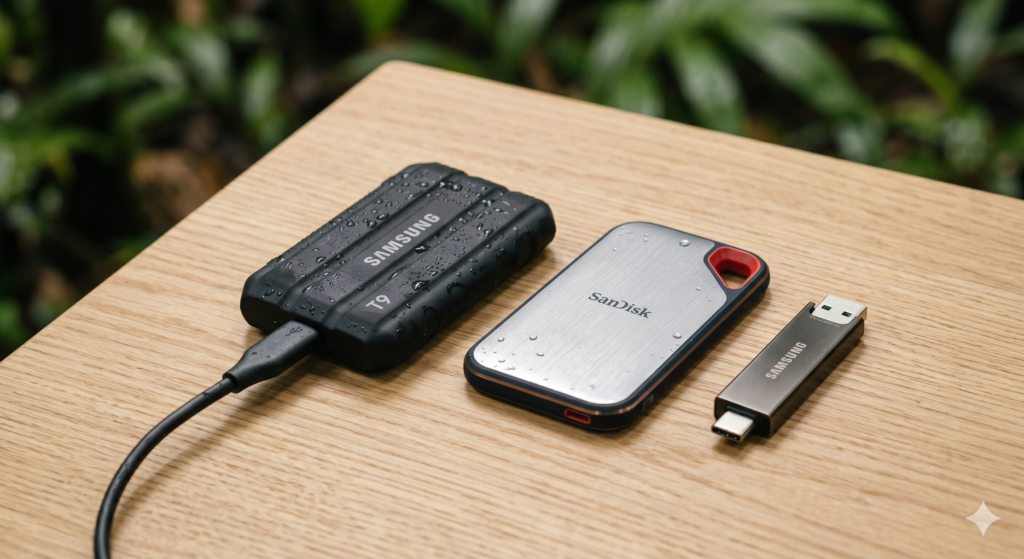
You don’t think about backups—until something fails.
A corrupted SSD, a lost backpack, a sudden humidity spike… and suddenly your work, photos, and files are gone. That’s why having a travel data backup strategy isn’t optional—it’s the only way to make sure one failure doesn’t wipe everything.
The goal isn’t just storage. It’s redundancy without friction, so your workflow stays fast and protected.
Quick Comparison: Core Backup Tools for Travel
| Product | Key Specs | Best Use Case | Tier |
|---|---|---|---|
| Samsung T7 Shield 2TB | NVMe, IP65, shock-resistant | Primary working drive | Premium |
| SanDisk Extreme Portable SSD | Compact, fast SSD | Secondary backup drive | Budget |
| Kingston IronKey Locker+ 50 | Hardware encryption USB | Secure redundancy | Support |
🔋 Premium
This is your primary drive—the one you actively work from. It’s fast, rugged, and stable even in heat and humidity. The only downside is that relying on it alone is risky—no matter how durable it is.
👉 View Best Price on Amazon.ca
Why a Single Drive Is Never Enough
Even the most durable SSD can fail.
Not dramatically—but subtly:
- Files stop opening
- Transfers fail midway
- Drive disconnects randomly
Or worse:
- You lose it
- It gets stolen
- It gets damaged in transit
That’s why the rule is simple:
👉 1 copy = 0 backups
The 3-Layer Travel Backup System (What Actually Works)
A reliable setup isn’t complicated—but it has to be intentional.
Layer 1 — Primary Working Drive
This is where you:
- Edit files
- Store current projects
- Access everything quickly
That’s your:
👉 Samsung T7 Shield
Layer 2 — Secondary Backup (Offline Copy)
This is your immediate safety net.
Use:
👉 SanDisk Extreme Portable SSD
Why this works:
- Separate physical device
- Fast enough for full duplication
- Lightweight enough to carry separately
Layer 3 — Secure Minimal Backup
This is your “everything went wrong” layer
Use:
👉 Kingston IronKey Locker+ 50
Store:
- Critical documents
- Password backups
- Key work files
Why it matters:
- Hardware encryption
- Small enough to hide anywhere
- Independent of your main setup
🔋 Budget
This works perfectly as a secondary backup drive. It’s compact, fast, and easy to duplicate data onto daily. The limitation is durability under extreme conditions—it’s not built for long-term exposure to harsh environments.
👉 Check Current Price on Amazon.ca
Why NVMe vs Standard SSD Matters in Backups
Speed isn’t just convenience—it affects whether you actually back up regularly.
Slow backup system:
- You delay backups
- You skip days
- You forget
Fast system:
- Takes minutes
- Becomes routine
- Reduces risk
That’s why using a fast primary drive like the T7 Shield matters—it removes friction.
Real Scenario: Humid Climate + Daily Movement
You’re working in a tropical city:
- High humidity
- Constant packing/unpacking
- Moving between locations
Without backup system:
- One failure = total loss
With 3-layer system:
- Primary fails → backup SSD saves you
- Both fail → encrypted USB still has essentials
That’s the difference between inconvenience and disaster.
The Most Common Backup Mistake Travelers Make
They back up everything… in the same place.
Example:
- Laptop + SSD in same backpack
If that bag is lost:
👉 Everything is gone
How to Fix That (Simple Rule)
Always separate your backups:
- Primary SSD → backpack
- Secondary SSD → luggage or different pocket
- USB backup → wallet or hidden pouch
Now a single loss doesn’t wipe everything.
Head-to-Head: Backup Strategy vs No Strategy
Without backup:
- Fast workflow
- High risk
With backup system:
- Slight setup effort
- Near-zero catastrophic risk
The trade-off is obvious once you experience failure once.
Best Setup Based on Travel Style
Minimalist Traveler
- Primary SSD + USB backup
Skip:
- Secondary SSD
Remote Worker / Digital Nomad
- Primary SSD
- Secondary SSD
- USB backup
Full system → recommended
Photographer / Content Creator
- Dual SSD + USB + cloud
Because:
- File size + importance is higher
Who This Setup Is NOT For
- Casual travelers with no important data
- People relying entirely on cloud storage
- Ultra-light packers who accept risk
Everyone else:
👉 Needs at least 2 layers
Real Travel Use Cases That Matter
✈️ Airport Transit Loss Scenario
Bag gets delayed or lost
→ Secondary drive saves your work
☕ Café Work Setup
Drive disconnects or corrupts
→ Backup SSD restores everything
🌴 Humid Environment Failure
Moisture affects electronics
→ Rugged primary + backup prevents loss
Build a Complete Travel Data + Tech System
A backup setup works best when integrated into your full travel kit.
If you’re building a complete setup, this
👉 best tech travel kit guide
shows how storage, power, and accessories fit together.
To simplify and reduce clutter, this
👉 minimalist tech kit guide
helps keep your setup efficient and protected.
And if you’re traveling in harsh conditions, this
👉 best rugged SSD for humid climates
explains how to choose the right primary drive.
Final Verdict: Travel Backup Strategy That Actually Works
| Product | Tier | Best For | CTA |
|---|---|---|---|
| Samsung T7 Shield 2TB SSD | Premium | Primary working drive | View on Amazon.ca |
| SanDisk Extreme Portable SSD | Budget | Secondary backup | View on Amazon.ca |
| Kingston IronKey Locker+ 50 | Support | Secure redundancy | View on Amazon.ca |
A solid travel data backup strategy isn’t about buying more storage.
It’s about:
- Separation
- Redundancy
- Consistency
One device failing shouldn’t matter.
Because when you travel, failure isn’t the exception—it’s just a matter of time.