
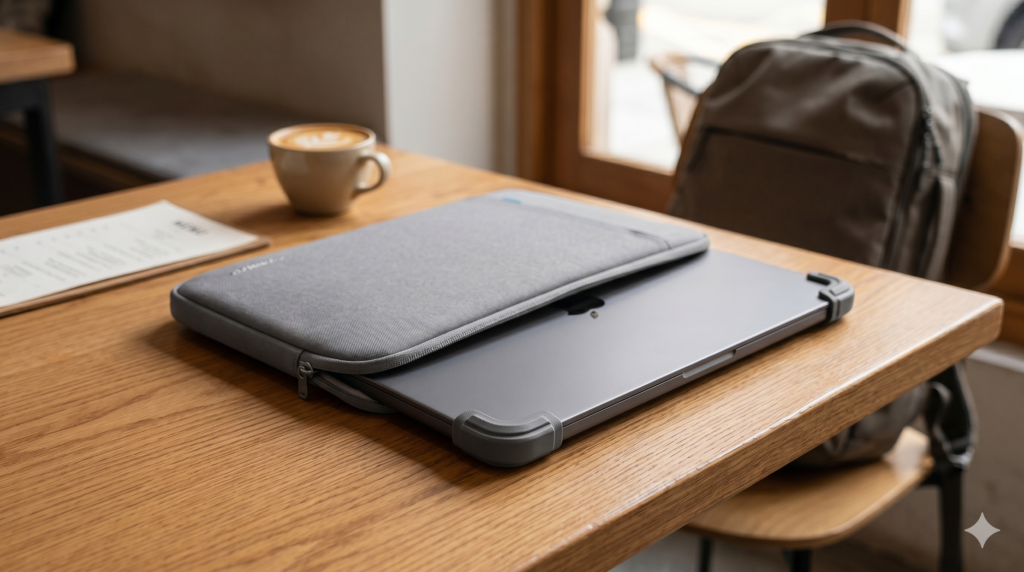
Your MacBook is the most expensive, most irreplaceable item in your travel bag. A scratched lid is an inconvenience. A cracked display from a bag compression incident is a cancelled workday and an emergency trip to an Apple Store in a city where you don’t speak the language. The best laptop sleeve for MacBook doesn’t add meaningful weight or bulk to a one-bag setup — it adds a specific layer of protection against the specific damage that actually happens to laptops in transit: corner impacts, screen pressure, surface scratches, and the occasional liquid encounter.
This guide compares two sleeves that approach the protection brief from different angles: the tomtoc 360 Protective Sleeve as the premium protection-first pick, and the Native Union Ultralight Sleeve as the weight-minimalist alternative for nomads who treat every gram as a deliberate decision.
At a Glance: Premium Protection vs. Ultralight Carry
| Feature | tomtoc 360 Protective Sleeve | Native Union Ultralight Sleeve |
|---|---|---|
| Protection Style | Corner armour + full padding | Slim felt exterior + light padding |
| Water Resistance | Yes — water-resistant exterior | Minimal — felt exterior |
| Extra Pockets | Yes — accessory pocket | No |
| Weight | ~280g | ~120g |
| Compatibility | 13″–14″ MacBook | 13″–14″ MacBook |
| Best Use Case | Daily carry, checked luggage, active travel | Ultralight one-bag, safe environments |
| Price Tier | Premium | Budget |
🛡️ Premium Pick tomtoc 360 Protective Sleeve The tomtoc 360 is the sleeve built for how travel actually treats your laptop — compression in a packed bag, corner impacts from being set down on hard surfaces, and the occasional rain caught between a café and a taxi. Its corner armour system and water-resistant exterior address the specific failure modes that generic sleeves ignore. The honest drawback: at 280g it’s one of the heavier sleeves in its category, and its structured shape takes more volume in a one-bag than a slim felt alternative. 👉 View Best Price on Amazon.ca
tomtoc 360 Protective Sleeve: Engineering Against the Damage That Actually Happens
Why Corner Armour Is the Feature Most Laptop Sleeves Skip
Laptop damage in transit follows a predictable pattern. The most common failure points are corners — specifically the corners of the display assembly, where the hinge meets the lid. When a bag is dropped, thrown into an overhead bin, or slides off a seat, the corner of the laptop inside absorbs the impact first. Standard sleeves distribute padding evenly across the flat surfaces where damage is least likely, and provide the least reinforcement at the corners where it’s most needed.
The tomtoc 360’s corner armour system addresses this directly. Reinforced corner guards inside the sleeve absorb and redirect impact energy away from the laptop’s most vulnerable structural points. Combined with a full perimeter of shock-absorbing foam padding, the 360 creates a protective envelope that standard felt and neoprene sleeves don’t replicate regardless of their exterior thickness.
The water-resistant exterior is the second feature that separates this sleeve from minimalist alternatives. It won’t survive submersion, but it handles rain, dripping café condensation, and the bag-exterior moisture that accumulates when you’re walking between venues in humid tropical weather. For nomads working in Southeast Asia, South America, or any warm humid environment, that moisture resistance is a daily-use feature rather than an edge case.
The integrated accessory pocket on the front adds organised carry for a charging cable, USB-C hub, and a card reader — the accessories most likely to be needed alongside the laptop. For nomads who carry their MacBook and its essential peripherals together, the pocket eliminates the need for a separate pouch for those items.
Consistently rated 4.7★ across thousands of Amazon.ca reviews, with particular praise from frequent travelers and daily commuters for impact protection and build quality.
Real-World Scenario: Overnight Bus, Southeast Asia
Your overnight bus from Chiang Mai to Bangkok is a 10-hour journey. Your bag goes in the overhead storage, gets shifted by other passengers three times, and the bus hits a rough patch of road that sends everything on the rack sliding. The tomtoc 360 absorbs the corner impacts from the overhead bin shuffle without transferring any force to the MacBook inside. You arrive with a laptop in exactly the same condition you packed it.
Pros:
- Corner armour system protects the specific impact points that cause real damage
- Water-resistant exterior handles rain and humidity
- Full perimeter foam padding — protection on all six faces
- Integrated accessory pocket for hub, cables, and adapters
- YKK zipper — the quality zipper standard that doesn’t jam under load
Cons:
- 280g adds meaningful weight for ultralight one-bag setups
- Structured shape takes more bag volume than a slim sleeve
- Thicker profile means slightly tighter fit in narrow bag laptop compartments
| Score | Rating |
|---|---|
| Airport Usability | 5/5 |
| Portability | 4/5 |
| Setup Convenience | 5/5 |
| Value for Travel | 4.5/5 |
Native Union Ultralight Sleeve: When Every Gram Is a Deliberate Choice
The Case for Minimal Protection in Controlled Environments
The Native Union Ultralight Sleeve starts from a different premise: that for nomads with a well-organised one-bag and careful handling habits, the specific protection scenario that requires corner armour and water resistance rarely occurs. If your laptop lives in a dedicated padded laptop compartment inside a quality travel backpack, the bag itself provides the external protection layer — the sleeve’s job is surface scratch prevention and internal organisation, not impact absorption.
At 120g, the Ultralight Sleeve adds almost nothing to a one-bag carry. Its slim felt exterior and minimal padding don’t add meaningful bulk, which matters for nomads packing to strict airline carry-on limits. The aesthetic is deliberately considered — the sleeve looks professional in a client meeting or co-working space in a way that a heavily structured padded sleeve doesn’t.
The limitation is straightforward: felt doesn’t repel water, and minimal padding doesn’t absorb meaningful impact. For nomads whose laptops regularly travel outside a dedicated bag compartment — in a tote, a daypack without laptop padding, or a checked bag — the Ultralight Sleeve’s protection level is insufficient.
Consistently rated 4.4★ on Amazon.ca, with strong reviews from minimalist travelers and design-conscious professionals for aesthetics and weight.
Real-World Scenario: Café to Café Day, Lisbon
A day of café hopping in Lisbon — three locations across the city, MacBook carried in a tote between venues. The Ultralight Sleeve keeps the MacBook’s surface scratch-free and the display protected from the keys of a smaller device sharing the bag. The slim profile means the MacBook slides in and out of the tote cleanly. The felt exterior is warm to the touch, quiet when placed on café tables, and professional-looking in each venue.
Pros:
- 120g — one of the lightest sleeves available for 13″/14″ MacBooks
- Slim profile fits in any bag without adding structure or bulk
- Clean professional aesthetic — appropriate for client environments
- Protects against surface scratches and key contact damage
- Affordable entry point for MacBook sleeve protection
Cons:
- No water resistance — felt absorbs moisture
- Minimal impact padding — not suitable for active travel without a padded bag compartment
- No accessory pocket
- Not suitable for overhead bin or checked luggage without outer bag padding
| Score | Rating |
|---|---|
| Airport Usability | 4/5 |
| Portability | 5/5 |
| Setup Convenience | 5/5 |
| Value for Travel | 5/5 |
🛡️ Budget Pick Native Union Ultralight Sleeve For nomads who travel with a quality backpack that includes its own padded laptop compartment and handle their MacBook with consistent care, the Ultralight Sleeve adds the surface protection layer you actually need at minimal weight and cost. Just be honest about your travel style — if your bag gets thrown around, go with the tomtoc. 👉 View Best Price on Amazon.ca
tomtoc 360 vs. Native Union: Matching Protection to Your Travel Reality
The right sleeve depends entirely on how your laptop travels, not how carefully you handle it.
The tomtoc 360 is built for travel that includes overhead bins, shared bag storage on buses and trains, checked luggage, and the general physical unpredictability of moving through the world with a bag. If any of those scenarios describe your regular travel, the corner armour and water resistance aren’t premium features — they’re the minimum adequate protection for the environment.
The Native Union Ultralight is built for travel where the laptop lives in a dedicated padded compartment of a quality backpack, moves between controlled environments like cafés and co-working spaces, and where the bag itself provides the structural protection layer the sleeve doesn’t.
Best For…
- Active travelers, backpackers, and bus/train nomads: tomtoc 360 — corner armour for the uncontrolled physical environment of real travel.
- Urban café nomads and co-working regulars: Native Union Ultralight — slim, light, professional, and sufficient when the bag does the heavy protection work.
- Photographers and nomads who carry accessories: tomtoc 360 — the integrated pocket carries hub, cables, and adapters alongside the laptop.
- One-bag ultralight packers at weight limits: Native Union Ultralight — 160g lighter than the tomtoc is a meaningful saving when every gram counts.
Who Each Product Is NOT For
The tomtoc 360 is not for nomads who prioritise absolute minimum weight and whose travel environment is consistently controlled — the structured padding is unnecessary weight for that scenario. The Native Union Ultralight is not for any nomad whose laptop regularly travels in bags without dedicated laptop padding, overhead storage, or shared luggage — the protection level is insufficient for those conditions.
Two Trips, Two Correct Choices
Scenario: Six-Month Overland Trip, Southeast Asia
Buses, boats, overnight trains, tuk-tuks, and motorcycle taxis. Your bag gets placed in overhead storage, slid under seats, and loaded onto rooftop luggage racks. The tomtoc 360 absorbs the physical reality of that travel pattern without requiring you to monitor every placement. Your MacBook arrives in Bali in the same condition it left Bangkok.
Scenario: Three-Month Co-Working Tour, Western Europe
Train between cities, stay in quality Airbnbs, work from co-working spaces and cafés. Your bag has a dedicated padded laptop compartment. Your MacBook goes from the compartment to a desk and back. The Native Union Ultralight keeps the surface pristine and the display scratch-free at 120g. The weight saving over a structured sleeve is available for something that actually earns it.
If the tomtoc 360 sounds like the protection level your travel pattern requires, it’s available now on Amazon.ca — tomtoc 360 Protective Sleeve →
Final Summary: Best Laptop Sleeve for MacBook in 2026
| Product | Tier | Best For | |
|---|---|---|---|
| tomtoc 360 Protective Sleeve | Premium | Active travel, overhead bins, buses, trains, humid environments | View on Amazon.ca |
| Native Union Ultralight Sleeve | Budget | Urban café travel, co-working setups, ultralight one-bag builds | View on Amazon.ca |
The best laptop sleeve for MacBook is the one matched to your travel reality — not your ideal scenario. Be honest about how your bag actually moves through the world, and choose the protection level that matches it.
Both ship to Canada with Prime — and either is worth having before your MacBook’s first trip in a shared overhead bin.
Your sleeve protects the laptop — now make sure everything else in your bag is equally organised. The must-have travel gadgets guide covers the pouches and organisers that keep cables, hubs, and adapters from scratching your new sleeve. For the full one-bag packing framework that makes a setup like this work, the minimalist one-bag tech kit is the reference guide. And if you’re considering which MacBook to put inside the sleeve, the MacBook Air M5 vs MacBook Pro M5 comparison covers that decision in full.
Enjoyed examining this, very good stuff, regards. “If it was an overnight success, it was one long, hard, sleepless night.” by Dicky Barrett.
You really make it appear so easy together with your presentation however I to find this matter to be actually one thing which I feel I might by no means understand. It kind of feels too complicated and very large for me. I’m looking ahead in your subsequent post, I will try to get the dangle of it!