
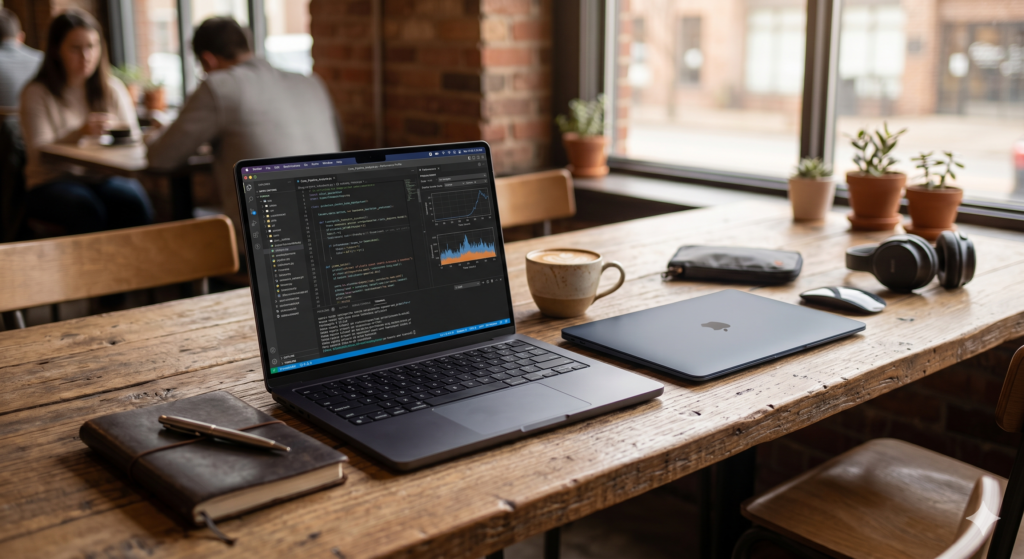
Every few years Apple forces a genuinely difficult decision on the nomad community. The MacBook Air M5 vs MacBook Pro M5 question in 2026 is one of those moments — not because either laptop is bad, but because the Air has become so capable that the traditional default answer of “get the Pro for real work” no longer holds for every buyer. Both machines share the same silicon family, both run cool enough for all-day café sessions, and both fit in a one-bag carry. The difference lies in what happens when you push them.
This guide cuts through the spec sheet and addresses the question that actually matters for nomads: which one supports your specific workflow over a six-month trip without becoming a liability?
At a Glance: MacBook Air M5 vs MacBook Pro M5 Pro
| Feature | MacBook Air 13″ M5 | MacBook Pro 14″ M5 Pro |
|---|---|---|
| Chip | Apple M5 | Apple M5 Pro |
| CPU Cores | 10-core | 14-core |
| GPU Cores | 10-core | 20-core |
| Max RAM | 32GB | 64GB |
| Display | 13.6″ Liquid Retina | 14.2″ Liquid Retina XDR |
| ProMotion | No (60Hz) | Yes (120Hz) |
| Fan | Fanless | Active cooling |
| Battery | Up to 18 hours | Up to 22 hours |
| Weight | 1.24kg | 1.62kg |
| Ports | 2× USB-C, MagSafe, headphone | 3× USB-C, MagSafe, HDMI, SD, headphone |
| Price Tier | Premium | Premium (higher) |
💻 Primary Recommendation Apple MacBook Pro 14″ M5 Pro For digital nomads who run sustained professional workloads — video editing, software development, large dataset processing, or any task that keeps the CPU busy for extended periods — the MacBook Pro M5 Pro is the correct laptop. Active cooling means it never throttles under pressure, the XDR display is the best screen available in this form factor, and the native HDMI and SD card ports remove the hub dependency that the Air creates. The honest drawback: at 1.62kg and a higher price, it costs you 380 grams and meaningful budget over the Air. 👉 View Best Price on Amazon.ca
MacBook Pro 14″ M5 Pro: Why Active Cooling Changes Everything for Sustained Work
The Fan Is Not a Weakness — It’s the Feature That Separates These Two Laptops
The single most important technical difference between the Air M5 and the Pro M5 Pro has nothing to do with chip cores or display resolution — it’s the fan. The MacBook Air is fanless by design, which keeps it silent and slim. Under light to moderate workloads, this is invisible. Under sustained heavy load — a long Premiere Pro export, a Xcode compilation, a multi-track Logic session running for two hours — the Air’s thermal envelope fills up and the chip throttles its performance to prevent overheating. The MacBook Pro’s active cooling system exhausts that heat continuously, allowing the M5 Pro chip to run at full performance indefinitely.
For nomads who work in short sprints with regular breaks, throttling rarely surfaces. For nomads whose income depends on completing render jobs, compile cycles, or processing tasks as fast as the hardware allows — particularly when working to client deadlines from a café table in a hot climate — the throttling gap between the Air and the Pro translates directly into hours of additional work time per project.
The M5 Pro chip itself adds meaningful headroom. Its 14-core CPU and 20-core GPU aren’t just faster in benchmarks — they handle multi-stream video, AI-accelerated tasks, and parallel processing loads that the base M5 manages sequentially. If your workflow currently struggles on a 2023 or 2024 machine, the M5 Pro resolves it. If your workflow runs comfortably on a current MacBook Air, the M5 Pro is additional runway rather than a necessary upgrade.
The Liquid Retina XDR display with ProMotion 120Hz is the other nomad-relevant advantage. On a 60Hz panel, cursor movement and scrolling look smooth enough. On a 120Hz ProMotion display, the same actions feel qualitatively different — more responsive, less fatiguing over an eight-hour day. For nomads who spend that time reading, writing, coding, and reviewing visual work, the display quality is a genuine daily quality-of-life difference rather than a spec number.
Native HDMI 2.1 and SD card reader ports are the final practical advantage. The Air requires an external hub for both — adding cost, adding a failure point, and occupying a USB-C port. The Pro builds them in, which simplifies every portable monitor and camera card workflow without additional accessories.
Consistently rated 4.8★ across thousands of Amazon.ca reviews, with particular praise from video editors, developers, and creative professionals for sustained performance under load.
Real-World Scenario: Video Edit Deadline, Co-Working Space, Medellín
You’re cutting a 25-minute documentary for a client. The timeline has 4K ProRes footage, colour grades, and a full audio mix. Export is due in four hours. On the MacBook Air, the export runs at full speed for the first eight minutes before thermal throttling kicks in and the estimated time jumps from 38 minutes to 62 minutes. On the MacBook Pro M5 Pro, active cooling sustains full chip speed for the entire export. The Pro finishes in 41 minutes. You have three hours to review, revise, and deliver. The Air leaves you scrambling.
Pros:
- Active cooling sustains full M5 Pro performance indefinitely under load
- Liquid Retina XDR with ProMotion 120Hz — best display in the MacBook lineup
- Native HDMI, SD card, and three Thunderbolt 4 ports — no hub required
- Up to 64GB unified memory — handles large datasets and heavy multitasking
- 22-hour battery — the longest in the MacBook range
Cons:
- 1.62kg — 380g heavier than the MacBook Air
- Significantly higher price point
- Fan is audible under heavy sustained load — not an issue in cafés, noticeable in silence
| Score | Rating |
|---|---|
| Airport Usability | 4.5/5 |
| Portability | 4/5 |
| Setup Convenience | 5/5 |
| Value for Travel | 4.5/5 |
MacBook Air M5: The Lightest Professional Laptop You Can Actually Live On
When 1.24kg and Fanless Silence Are the Specs That Matter Most
The MacBook Air M5 is not a compromise. For a specific category of nomad — writers, marketers, project managers, consultants, developers working on standard codebases, and anyone whose heaviest daily task is a video call with screen sharing — the Air M5 delivers the same real-world performance as the Pro M5 Pro in every scenario that doesn’t involve sustained maximum CPU load. The M5 chip is fast enough that most professional tasks complete before thermal throttling becomes relevant.
At 1.24kg, the Air is the lightest capable professional laptop Apple makes. Across a six-month trip where you carry your laptop every day — to cafés, co-working spaces, day trips, overnight trains, and airport lounges — 380 grams less on your shoulder is a compounding quality-of-life advantage. It fits in thinner sleeves, takes up less tray table space on a plane, and disappears into a one-bag with less impact on weight distribution.
The 18-hour battery life is real-world validated across multiple independent tests. For most nomads, a full charge in the morning gets through the entire workday without a charger on the table — a freedom the MacBook Pro’s 22-hour rating extends marginally but doesn’t transform.
The fanless design means zero noise in any environment. Working from a quiet library, a sleeping hostel dorm, or a client’s office where a fan spinning up would draw attention — the Air is acoustically invisible in a way the Pro never is under load.
Consistently rated 4.8★ on Amazon.ca, with strong reviews from one-bag travelers, writers, and consultants for the combination of performance, weight, and battery life.
Real-World Scenario: Writing and Calls Day, Airport Lounge, Dubai
A six-hour layover. You write, edit copy, respond to emails, take two video calls, and review a client presentation. The Air M5 handles every task at full speed without a hint of throttling — none of these tasks push the thermal envelope. Battery sits at 61% when you board. You never plugged in. The laptop weighs less than your water bottle. That is the MacBook Air M5’s strongest argument: for the majority of nomad workflows, the majority of the time, it is indistinguishable from the Pro.
Pros:
- 1.24kg — lightest capable MacBook available
- Fanless — completely silent in all environments
- 18-hour battery covers a full workday without charging
- M5 chip handles all standard professional workloads at full speed
- Lower price point — significant budget saved for rest of travel kit
Cons:
- Thermal throttling under sustained heavy CPU load
- 60Hz display — noticeably less smooth than ProMotion at equivalent tasks
- Requires hub for HDMI and SD card workflows
- 32GB RAM ceiling — not suitable for memory-intensive professional applications
| Score | Rating |
|---|---|
| Airport Usability | 5/5 |
| Portability | 5/5 |
| Setup Convenience | 4/5 |
| Value for Travel | 5/5 |
💻 Secondary Recommendation Apple MacBook Air 13″ M5 For nomads whose work doesn’t regularly push CPU or GPU to sustained maximum load, the Air M5 is the smarter buy — lighter, cheaper, silent, and fast enough for everything standard professional work demands. If you’re honest about what you actually do for eight hours a day and none of it involves sustained rendering or compilation, the Air gives you everything the Pro does at 380g less and a lower price. 👉 View Best Price on Amazon.ca
Air M5 vs Pro M5: The Decision Framework
Start with your heaviest daily task, not your aspirational one.
If your heaviest regular task is video editing with sustained exports, large-scale software compilation, 3D rendering, or running local AI models at full capacity — the Pro M5 Pro’s active cooling and additional cores are a professional requirement. The Air will complete those tasks, but slower under sustained load, which has direct financial implications when time is billable.
If your heaviest regular task is anything else — writing, calls, coding standard projects, design in Figma or Sketch, spreadsheet analysis, content management — the Air M5 completes every one of those at full speed. The thermal throttling scenario simply never occurs in normal use.
Best For…
- Video editors, developers with heavy compile cycles, motion designers: MacBook Pro M5 Pro — active cooling is the non-negotiable requirement.
- Writers, marketers, consultants, project managers, standard developers: MacBook Air M5 — 380g lighter, meaningfully cheaper, identical real-world performance for these workflows.
- One-bag ultralight travelers: MacBook Air M5 — 1.24kg is the specification that matters when every gram is deliberate.
- Travelers who use portable monitors: MacBook Pro M5 Pro — native HDMI removes the hub dependency entirely.
Who Each Product Is NOT For
The MacBook Pro M5 Pro is not for nomads who prioritise minimum weight and whose workload never stresses a MacBook Air — the premium pays for headroom you won’t use. The MacBook Air M5 is not for professionals whose billable output depends on rendering, compilation, or processing speed — the throttling gap is a real cost measured in hours.
Two Nomads, Two Correct Answers
Scenario: Documentary Filmmaker, Six-Month Asia Trip
Shooting and editing a travel documentary across twelve countries. Daily workflow: 4K footage ingestion, Premiere Pro editing, colour grade in DaVinci Resolve, audio mix, export. The MacBook Pro M5 Pro runs every export at full speed regardless of ambient temperature or session length. Active cooling keeps the M5 Pro chip performing identically at hour one and hour six of a sustained edit. The filmmaker delivers on deadline from a guesthouse in Chiang Mai with the same output speed as a studio in Toronto.
Scenario: Content Strategist, Three-Month Europe Trip
Writing, editing, client calls, Notion, Slack, Google Workspace, occasional Canva. No video exports. No compilation. No sustained CPU load beyond a long video call. The MacBook Air M5 handles every task at full chip speed because none of them breach the thermal envelope. The 380g weight saving matters every day. The battery gets through a full co-working session without a charger. The budget saving funds three extra months of travel.
If the MacBook Pro M5 Pro sounds like the right machine for your workflow, it’s available now on Amazon.ca — Apple MacBook Pro 14″ M5 Pro →
Final Summary: MacBook Air M5 vs MacBook Pro M5 for Digital Nomads
| Product | Tier | Best For | |
|---|---|---|---|
| MacBook Pro 14″ M5 Pro | Premium | Video editors, developers, sustained heavy workloads, portable monitor users | View on Amazon.ca |
| MacBook Air 13″ M5 | Premium (lower) | Writers, consultants, standard developers, ultralight one-bag travelers | View on Amazon.ca |
The MacBook Air M5 vs MacBook Pro M5 decision in 2026 comes down to one honest question about your workflow. Both are exceptional nomad laptops. The Pro earns its premium when sustained performance under load is a professional requirement. The Air earns its place when lightness, silence, and efficiency define your travel priorities.
Both ship to Canada with Prime — if you’re planning a long trip and your current laptop is the weakest link in your setup, now is the right time to resolve it before you’re debugging performance issues from a café table in a different time zone.
Once you’ve chosen your machine, pair it with the right accessories. The best portable monitor guide covers display options that pair with both models for a dual-screen nomad setup. For keeping your new MacBook protected in transit, the minimalist one-bag tech kit covers sleeve and carry options that fit both form factors. And for the complete picture of a professional nomad hardware stack in 2026, the ultimate digital nomad gear guide covers every layer from laptop to power to peripherals.
Pingback: The Best Tech Travel Kit 2026 — Built From 3 Years of Real Mistakes
Pingback: Framework Laptop 13 Pro: Is It Finally the Nomad Laptop We've Been Waiting For?
Hello! This is kind of off topic but I need some help from an established blog. Is it tough to set up your own blog? I’m not very techincal but I can figure things out pretty quick. I’m thinking about setting up my own but I’m not sure where to start. Do you have any tips or suggestions? Cheers