
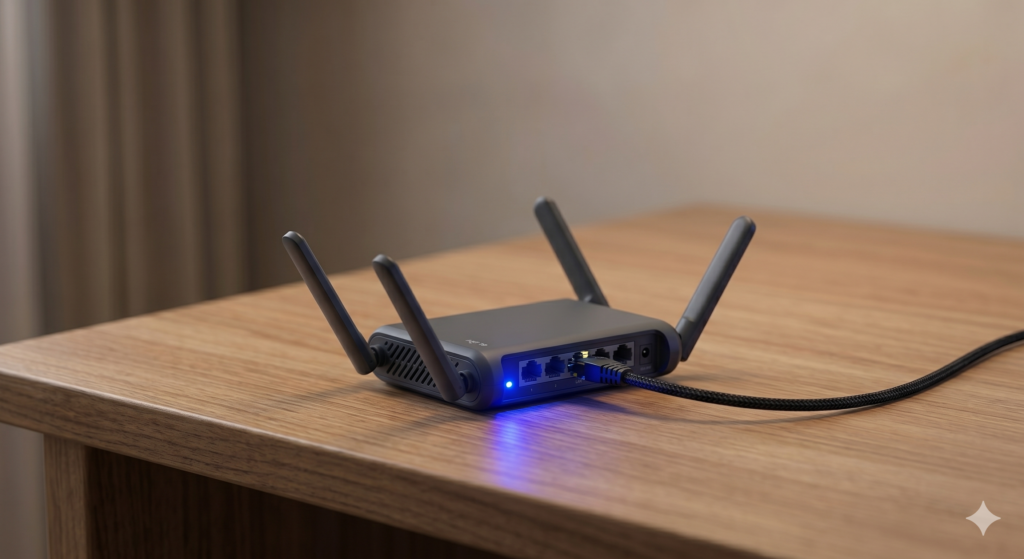
Plugging your laptop directly into a hotel or café network is the digital equivalent of handing your keys to a stranger and hoping they don’t make copies. Public WiFi — whether it’s a five-star resort or a co-working space — is an open broadcast environment where unsecured traffic can be intercepted, credentials harvested, and devices fingerprinted by anyone with basic network tools. The best travel router for digital nomads closes that exposure entirely: you connect the router to the venue’s network once, and every device you own communicates through your own encrypted private bubble instead.
This guide compares two routers that cover the full spectrum of nomad networking needs: the GL.iNet GL-AXT1800 Slate AX as the premium WiFi 6 powerhouse, and the GL.iNet GL-SFT1200 as the lightweight, budget-friendly bridging solution.
At a Glance: Premium WiFi 6 vs. Budget Bridging
| Feature | GL.iNet GL-AXT1800 Slate AX | GL.iNet GL-SFT1200 |
|---|---|---|
| WiFi Standard | WiFi 6 (802.11ax) | WiFi 5 (802.11ac) |
| Max Speed (5GHz) | 1,201 Mbps | 867 Mbps |
| VPN Protocol | WireGuard + OpenVPN | OpenVPN (throttled) |
| CPU | Quad-core 1.2GHz | Dual-core 880MHz |
| Weight | ~168g | ~72g |
| Best Use Case | Heavy remote work, VPN-dependent workflows, video calls | Bypassing hotel limits, light browsing, budget travel |
| Price Tier | Premium | Budget |
🌐 Premium Pick GL.iNet GL-AXT1800 Slate AX The Slate AX brings WiFi 6 speeds and full WireGuard VPN capability into a palm-sized chassis — the only travel router in its class that can maintain over 100 Mbps throughput while fully encrypted. The honest drawback: it runs noticeably warm under sustained VPN load, and its power adapter is bulkier than the router itself, which adds friction to a minimal packing setup. 👉 View Best Price on Amazon.ca
GL.iNet GL-AXT1800 Slate AX: WiFi 6 Security That Keeps Up With Your Work
Why VPN Speed Is the Spec That Actually Determines Your Workflow
Most digital nomads understand that a VPN protects their traffic. What they often don’t realise is that running a VPN on a standard travel router throttles your connection speed by 70–85% because the router’s processor can’t perform cryptographic calculations fast enough to keep up with the incoming data stream. A 150 Mbps hotel connection becomes a 20 Mbps trickle the moment you activate a standard VPN — unusable for 4K video calls or large file transfers.
The Slate AX solves this with a quad-core 1.2GHz processor built specifically to handle WireGuard’s cryptographic operations without bottlenecking throughput. WireGuard is a modern VPN protocol that’s significantly faster than OpenVPN at equivalent security levels — and on the Slate AX, it maintains real-world speeds of 120–150 Mbps while fully encrypted. That’s enough for simultaneous 4K streaming, a video conference, and active cloud backup — all secured, all running at the same time.
WiFi 6 adds another dimension. Where WiFi 5 handles multiple devices sequentially — each device takes a turn to transmit — WiFi 6 uses OFDMA (Orthogonal Frequency Division Multiple Access) to serve multiple devices simultaneously. In a hotel room with your laptop, phone, tablet, and smart speaker all connected, WiFi 6 distributes bandwidth more efficiently, eliminating the congestion that causes random dropout and latency spikes on busy networks.
The built-in AdGuard Home ad and tracker blocking runs at the DNS level, meaning every device on your private network is automatically protected from ad tracking, malicious redirects, and bandwidth-wasting ad content — without installing anything on any individual device.
Consistently rated 4.7★ across thousands of Amazon.ca reviews, with particular praise from remote developers and security-conscious nomads for VPN performance and reliability.
Real-World Scenario: Airbnb Apartment, Lisbon
You check into an apartment whose WiFi barely reaches the desk from the router in the hallway. You plug the Slate AX into the apartment’s Ethernet port via the included cable — instant hardwired connection at full speed. The Slate AX broadcasts a strong, localised WiFi 6 network directly at your desk. WireGuard connects to your home country’s VPN server in three seconds. Your laptop, phone, and tablet all join the private network automatically. You work for eight hours at full speed, fully encrypted, and the apartment’s patchy WiFi becomes irrelevant because you’re hardwired past it.
Pros:
- WireGuard VPN maintains 120–150 Mbps encrypted — no meaningful speed loss
- WiFi 6 OFDMA handles multiple devices simultaneously without congestion
- Built-in AdGuard Home blocks ads and trackers across all connected devices
- Ethernet + WiFi input modes — works in any accommodation type
- OpenWRT-based — fully customisable for advanced users
Cons:
- Runs warm under sustained heavy VPN load
- Power adapter is bulkier than the router itself
- Full feature set has a learning curve for non-technical users
- Premium price point for networking hardware
| Score | Rating |
|---|---|
| Airport Usability | 4/5 |
| Portability | 4/5 |
| Setup Convenience | 4/5 |
| Value for Travel | 5/5 |
GL.iNet GL-SFT1200: The Lightweight Solution for Everyday Network Frustrations
What a Budget Router Actually Solves — and What It Doesn’t
The GL-SFT1200 (also known as the Opal) addresses the most universal hotel network frustration: captive portals and device limits. Most hotels allow one or two registered devices per room. Log the Opal into the hotel’s captive portal once, and it broadcasts a private network that all your devices join — your laptop, phone, tablet, and partner’s devices all appear as a single device to the hotel’s system. That single login eliminates the daily re-authentication process that wastes time and fragments your workflow across multiple screens.
At 72 grams, the Opal disappears into a tech pouch without occupying meaningful weight or volume. WiFi 5 at 867 Mbps is entirely adequate for standard remote work — video calls, cloud sync, email, and browser-based tools all run well within that ceiling. The limitation surfaces when you activate VPN. The Opal’s dual-core 880MHz processor wasn’t designed for continuous cryptographic load — enabling OpenVPN drops throughput to 10–15 Mbps, which makes HD video calls stutter and large file transfers impractical.
For travelers whose primary need is device consolidation and light privacy rather than full VPN-encrypted workflows, the Opal is exactly the right tool. For anyone handling sensitive client data or requiring high-speed encrypted access to corporate servers, the processing limitation is a dealbreaker and the Slate AX is the correct choice.
Consistently rated 4.5★ on Amazon.ca, praised for its ease of setup, compact size, and reliable performance for casual travel networking.
Real-World Scenario: Resort, Cancún
The resort charges per-device WiFi access at a daily rate that quickly adds up across two laptops and two phones. You log the Opal into the resort’s captive portal once, pay for a single device, and connect everything to the Opal’s private network. All four devices get internet access for the price of one. The Opal sits on the desk drawing power from a USB port on your power bank — no wall outlet needed. Setup takes four minutes including the captive portal login.
Pros:
- Solves hotel captive portal and device-limit frustrations instantly
- 72g — lightest capable travel router available
- USB-powered — draws from a power bank, no dedicated outlet required
- Simple setup interface accessible to non-technical users
- Affordable entry point for travel networking
Cons:
- VPN speeds throttle to 10–15 Mbps — not suitable for encrypted heavy workflows
- WiFi 5 ceiling is lower than WiFi 6 in congested hotel environments
- No built-in ad/tracker blocking
- Shorter wireless range than the Slate AX
| Score | Rating |
|---|---|
| Airport Usability | 4/5 |
| Portability | 5/5 |
| Setup Convenience | 4.5/5 |
| Value for Travel | 4.5/5 |
🌐 Budget Pick GL.iNet GL-SFT1200 For travelers who need to bypass hotel device limits and want a basic layer of network privacy without paying premium prices, the Opal is the most practical choice available. Its USB power draw, minimal footprint, and dead-simple setup make it a genuine everyday carry item — just be clear that its VPN performance isn’t designed for high-security professional workflows. 👉 View Best Price on Amazon.ca
Slate AX vs. Opal: Matching the Router to Your Security Requirements
The defining question is not budget — it’s threat model. If you handle client financial data, access corporate intranets, or conduct work that requires encrypted communications with a remote server, the Slate AX’s WireGuard performance is a professional requirement. The Opal’s VPN limitation isn’t a minor inconvenience — at 10–15 Mbps, a encrypted Zoom call drops frames constantly and large file uploads stall.
If your work lives in Google Workspace, Notion, Slack, and browser-based tools — and your primary frustration is hotel device limits and daily captive portal logins — the Opal handles every one of those problems cleanly at a fraction of the price.
Best For…
- Developers, security professionals, and corporate remote workers: GL.iNet Slate AX — WireGuard at full speed is the non-negotiable requirement.
- Casual remote workers, content creators, and light digital nomads: GL-SFT1200 — device consolidation and basic privacy at minimal cost and weight.
- Travelers in Airbnbs with Ethernet ports: Slate AX — hardwired input plus WiFi 6 broadcast creates the best possible local network from any connection.
- Budget travelers and backpackers: GL-SFT1200 — USB-powered, pocket-sized, and solves the most common hotel WiFi frustrations immediately.
Who Each Product Is NOT For
The Slate AX is not for travelers who only need basic device consolidation and find network configuration intimidating — its full feature set has a learning curve that the Opal doesn’t. The Opal is not for anyone who relies on a high-speed VPN tunnel for professional security — its processor simply cannot sustain the cryptographic load required.
Two Networks, Two Very Different Outcomes
Scenario: Client Video Call, Co-Working Space, Medellín
The co-working space’s shared WiFi handles 80 people simultaneously and the speeds are erratic. You connect the Slate AX to the space’s Ethernet port, activate WireGuard, and join your own private network at 130 Mbps sustained. Your client call runs in 4K without a single dropped frame. Three colleagues in the same space on the shared WiFi spend the first ten minutes troubleshooting their connection before giving up on video.
Scenario: Resort Stay, Bali
The resort allows two devices per room and the captive portal resets every 24 hours. You log the Opal in once on day one, connect four devices to its private network, and never think about the login process again for the entire six-day stay. The Opal draws power from your bedside power bank — no outlet occupied. Total setup time: five minutes on arrival.
If the Slate AX sounds like the network security upgrade your workflow needs, it’s available now on Amazon.ca — GL.iNet GL-AXT1800 Slate AX →
Final Summary: Best Travel Router for Digital Nomads
| Product | Tier | Best For | |
|---|---|---|---|
| GL.iNet GL-AXT1800 Slate AX | Premium | VPN-dependent workflows, WiFi 6 speed, corporate security, Airbnb Ethernet setups | View on Amazon.ca |
| GL.iNet GL-SFT1200 | Budget | Hotel device limits, casual privacy, ultralight packing, USB-powered convenience | View on Amazon.ca |
The best travel router for digital nomads is the one that matches your actual security requirements — not the most impressive spec sheet. The Slate AX protects your data at professional speed. The Opal solves everyday hotel friction at minimal cost. Both are meaningfully better than connecting your devices directly to a public network.
Both ship to Canada with Prime — if you have a trip booked and you’re still connecting your laptop directly to hotel WiFi, that’s the one habit worth fixing before you leave.
A secure network is your foundation, but the rest of your productivity stack matters too. If you’re pulling large files across your new encrypted connection, the rugged SSD guide covers how to store them safely in any climate. The minimalist one-bag tech kit shows how the router, cables, and Ethernet adapter fit into a sub-7kg carry-on without compromise. And for the full picture of what a professional nomad setup looks like in 2026, the ultimate digital nomad gear guide covers every layer from power to peripherals.
Pingback: Mac Mini M5 and Apple TV 2026: Two Apple Devices Worth Waiting For This Year - techtravelkit.com
Pingback: The 3-Second Café Nightmare Every Digital Nomad Dreads - techtravelkit.com
Pingback: Everything I Carry to Work Anywhere in 2026 — Real Gear, Real Verdict
Pingback: 14 Travel Tech Hacks I Wish I'd Known Before My First Long Trip
Pingback: Used the Galaxy S26 Ultra for 6 Weeks Travel. Honest Verdict
hey there and thank you to your information – I have definitely picked up something new from right here. I did alternatively experience some technical points using this web site, as I skilled to reload the website many occasions previous to I may just get it to load correctly. I had been brooding about if your web host is OK? No longer that I’m complaining, however sluggish loading cases occasions will very frequently affect your placement in google and can injury your high quality ranking if ads and ***********|advertising|advertising|advertising and *********** with Adwords. Anyway I’m adding this RSS to my email and could look out for much more of your respective interesting content. Make sure you update this once more soon..