Your laptop screen was never designed to be your only display. One window for your client call, another for the brief, a third for Slack — and suddenly you’re alt-tabbing your way through a workday that should have taken four hours but took seven. The best portable monitor for digital nomads doesn’t just add screen real estate; it fundamentally changes how efficiently you work from any surface in any country.
This guide compares two monitors that actually fit the nomad brief: the ASUS ZenScreen 15.6″ OLED as the premium pick, and the Lepow 15.6″ Portable Monitor as the capable, travel-friendly budget option.
At a Glance: Premium vs. Budget Portable Monitor
| Feature | ASUS ZenScreen 15.6″ OLED | Lepow 15.6″ Portable Monitor |
|---|---|---|
| Display Type | OLED | IPS LCD |
| Resolution | 1080p FHD | 1080p FHD |
| Brightness | 400 nits | 300 nits |
| Connectivity | USB-C, Micro HDMI | USB-C, Mini HDMI |
| Weight | ~800g | ~780g |
| Best Use Case | Colour-critical work, all-day use | Everyday dual-screen productivity |
| Price Tier | Premium | Budget |
🖥️ Premium Pick ASUS ZenScreen 15.6″ OLED The ZenScreen OLED delivers display quality that makes every other portable monitor look like a step backwards — true blacks, vivid colour accuracy, and 400 nits of brightness that holds up in bright café environments. The one honest drawback: OLED panels are more susceptible to burn-in with static content like taskbars and sidebars, so it’s worth enabling screen savers during long stationary sessions. 👉 View Best Price on Amazon.ca
ASUS ZenScreen 15.6″ OLED: Why This Display Changes Your Workflow
OLED Is Not Just a Marketing Term — Here’s What It Actually Means for Work
Most portable monitors use IPS LCD panels, which require a backlight behind the entire screen. OLED works differently: each pixel generates its own light and switches off completely for black content, which means true blacks, infinite contrast ratio, and colours that are accurate straight out of the box without calibration. For digital nomads doing video editing, graphic design, client presentations, or even extended reading and writing, the visual difference is immediate and significant.
At 400 nits, the ZenScreen also handles brighter real-world environments better than most portable displays. A rooftop co-working space in Lisbon or an outdoor café table in Medellín — where reflections and ambient light wash out lesser screens — is where this brightness advantage becomes a genuine productivity factor rather than a spec-sheet number.
The ZenScreen connects via USB-C with single-cable operation, meaning one cable carries both power and video signal from your laptop. No separate power adapter. No extra cables. It’s the kind of thoughtful design that matters when your setup and teardown time at a new location needs to be under two minutes.
Consistently rated 4.6★ across thousands of Amazon.ca reviews, with particular praise for colour accuracy and build quality from creative professionals.
Real-World Scenario: Client Presentation, Co-Working Space, Barcelona
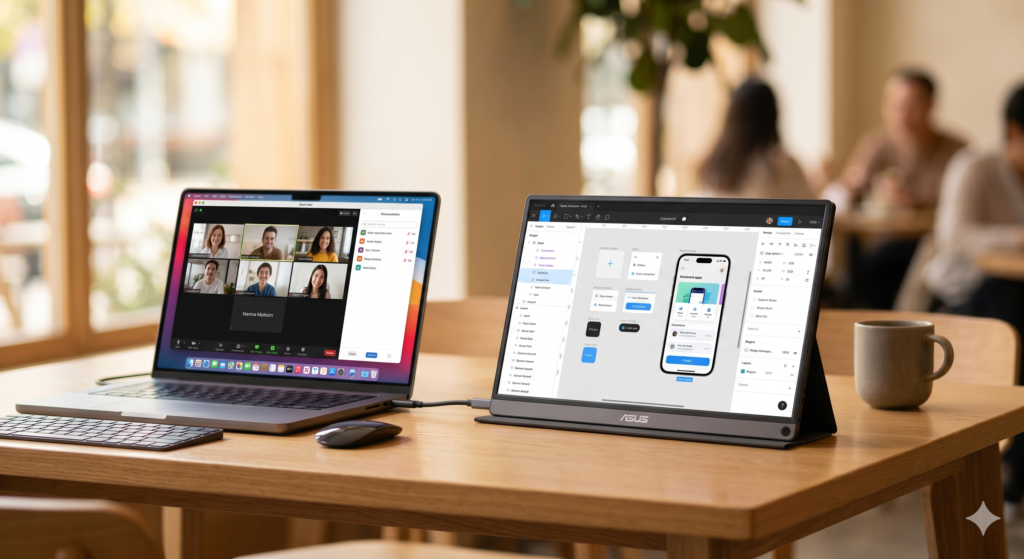
You’re presenting a brand identity deck to a client over video call. Your laptop screen is shared on the call, and your ZenScreen sits angled beside it showing your notes and the Figma file you’re referencing. The OLED panel renders your brand colours faithfully — no colour shift, no washed-out pastels. The client comments on how clean the work looks. You finish the call, fold the ZenScreen into its cover, and it’s back in your bag in 45 seconds.
Pros:
- OLED panel delivers best-in-class colour accuracy and contrast
- Single USB-C cable for power and video — zero adapter clutter
- 400 nits handles bright ambient environments
- Slim, lightweight build with integrated cover
Cons:
- OLED burn-in risk with static UI elements over long sessions
- Premium price point over IPS alternatives
- No built-in battery — requires host device power via USB-C
| Score | Rating |
|---|---|
| Airport Usability | 5/5 |
| Portability | 4.5/5 |
| Setup Convenience | 5/5 |
| Value for Travel | 4/5 |
Lepow 15.6″ Portable Monitor: Capable, Light, and Easy to Justify
IPS at Its Best — Honest Performance for Everyday Nomad Work
The Lepow 15.6″ doesn’t try to compete with OLED. What it does instead is deliver a reliable, bright, colour-accurate IPS display at a price point that removes the hesitation from the purchase. For nomads whose work lives in Google Docs, Notion, Zoom, and browser tabs, the Lepow covers every daily use case without compromise.
At 300 nits it’s slightly dimmer than the ZenScreen, which is noticeable in direct sunlight but perfectly adequate for indoor environments — co-working spaces, cafés, hostels, and hotel rooms. IPS panels also carry zero burn-in risk, which matters if you run the same dashboard or monitoring tool on screen for hours at a time.
The USB-C and Mini HDMI dual connectivity means it works with virtually any modern laptop, including older MacBooks that require an adapter for USB-C. Setup is plug-and-play across macOS and Windows with no driver installation required.
Consistently rated 4.4★ on Amazon.ca, with strong reviews from remote workers and students who prioritise value and reliability over premium specs.
Real-World Scenario: Hostel Common Room, Chiang Mai
You’re working a full remote day from a hostel common room. The WiFi is solid, the table is yours for the morning, but the noise and movement make focus difficult. The Lepow sits beside your laptop, showing your project management board while your laptop screen holds your active document. Two-screen focus mode — one for reference, one for output — doubles your effective working speed. You pack it into its sleeve at checkout and it fits cleanly beside your laptop in your one-bag.
Pros:
- IPS panel with zero burn-in risk
- USB-C and Mini HDMI — broad device compatibility
- Competitive price point for the screen size
- Lightweight and slim enough for one-bag carry
Cons:
- 300 nits struggles in bright outdoor environments
- IPS colours less vivid than OLED — noticeable for creative work
- Plastic build feels less premium than the ZenScreen
| Score | Rating |
|---|---|
| Airport Usability | 5/5 |
| Portability | 4.5/5 |
| Setup Convenience | 4.5/5 |
| Value for Travel | 5/5 |
🖥️ Budget Pick Lepow 15.6″ Portable Monitor If you need a second screen and don’t need OLED-level colour fidelity, the Lepow is the honest answer. It sets up in seconds, works with everything, and won’t make you wince when it gets a scuff in your bag. For writers, developers, and project managers working from cafés and co-working spaces, it does exactly what a portable monitor needs to do. 👉 View Best Price on Amazon.ca
ZenScreen OLED vs. Lepow: Which One Belongs in Your Bag?
The core question is simple: does your work depend on colour accuracy?
If you’re editing photos, producing video, designing for clients, or presenting visual work professionally, the OLED panel on the ZenScreen isn’t a luxury — it’s a tool with a direct impact on output quality. The infinite contrast and factory-accurate colours mean what you see on screen matches what your client sees on theirs.
If your work is text, data, code, or communication-based, the Lepow’s IPS panel is genuinely indistinguishable from OLED in daily use. The brightness gap only surfaces outdoors, and the price difference is significant enough to redirect toward something else in your kit.
Best For…
- Creative professionals and designers: ASUS ZenScreen OLED — colour accuracy is non-negotiable for client-facing work.
- Developers, writers, and analysts: Lepow — IPS handles all text and UI work cleanly at a fraction of the price.
- Ultra-minimalist one-bag travelers: Both weigh under 800g and pack flat — the Lepow edges it on value-per-gram.
- MacBook M5 users: Both support single-cable USB-C — the ZenScreen’s OLED pairs particularly well with the M5’s display engine.
Who Each Product Is NOT For
The ZenScreen is not for travelers who treat gear roughly or pack without a dedicated sleeve — OLED panels don’t tolerate pressure damage as forgivingly as IPS. The Lepow is not for anyone doing colour-critical professional work where display accuracy directly affects client deliverables.
Two Scenarios Where a Second Screen Paid for Itself
Scenario: Overnight Deadline, Airport Lounge, Dubai
A six-hour layover in Dubai becomes a full work session. You’re refactoring a client’s website while monitoring their analytics dashboard — two tasks that fight each other on a single screen. The ZenScreen sits on the lounge table beside your MacBook, analytics on one screen, code editor on the other. You complete both tasks before boarding. The work that would have taken two days in single-screen alt-tab mode is done in five focused hours.
Scenario: Remote Team Standup, Co-Working Café, Tbilisi
Your team standup runs on the Lepow while your task list stays open on your laptop screen. No window switching mid-call, no missing context while you’re talking. The café’s ambient light is bright but manageable at 300 nits. You finish the call, close the Lepow into its cover, and it’s in your bag before the next person needs the table.
If the ZenScreen OLED sounds like the display upgrade your workflow needs, it’s available now on Amazon.ca — ASUS ZenScreen 15.6″ OLED →
Final Summary: Best Portable Monitor for Digital Nomads
| Product | Tier | Best For | |
|---|---|---|---|
| ASUS ZenScreen 15.6″ OLED | Premium | Creative professionals, colour-critical work, MacBook M5 users | View on Amazon.ca |
| Lepow 15.6″ Portable Monitor | Budget | Developers, writers, analysts, value-focused one-bag travelers | View on Amazon.ca |
The best portable monitor for digital nomads is ultimately the one that matches your work type and your bag weight limit — both of these do their job well. The ZenScreen earns its premium price through display technology that genuinely affects professional output. The Lepow earns its place through reliable, no-drama performance at a price that leaves room in your budget for the rest of your kit.
Both ship to Canada with Prime — if you’re planning your next trip or upgrading your remote setup before a move, now is a good time to sort your screen situation before you’re working from a single 13″ panel in a time zone your clients don’t share.
Pair your new portable monitor with a GaN charger that handles both your laptop and display from a single adapter, and check out the complete digital nomad gear guide for how this fits into a full travel work setup. If you’re refining a one-bag build where every gram is deliberate, the minimalist tech kit guide covers exactly how far you can push portable productivity without sacrificing output quality.
Pingback: MacBook Air M5 vs MacBook Pro M5: Which One Should Digital Nomads Actually Buy in 2026? - techtravelkit.com
Pingback: Best USB-C Hub for Digital Nomads in 2026: Expand Your Laptop Without the Bulk - techtravelkit.com
Pingback: iPhone 18 Pro and Pro Max: Everything We Know About Apple’s Most Ambitious iPhone Yet - techtravelkit.com
Pingback: The Airbnb Kitchen Chair Is Destroying Your Spine - techtravelkit.com
Pingback: Used the Galaxy S26 Ultra for 6 Weeks Travel. Honest Verdict
Thank you for sharing excellent informations. Your web-site is very cool. I’m impressed by the details that you have on this blog. It reveals how nicely you perceive this subject. Bookmarked this web page, will come back for more articles. You, my friend, ROCK! I found simply the information I already searched everywhere and just couldn’t come across. What a great site.